Overview: Transcript Tab
The Transcript tab provides tools for the general management of Digital Video Transcripts (DVT). Here you can review and correct transcript timecodes, perform manual sync operations, edit transcript text, update DVT properties, publish the DVT, and more.
While the Quality Control tab offers a more focused interface for completing QC functions, the Transcript tab gives you additional options for transcript management, while also providing tools for timecode correction.
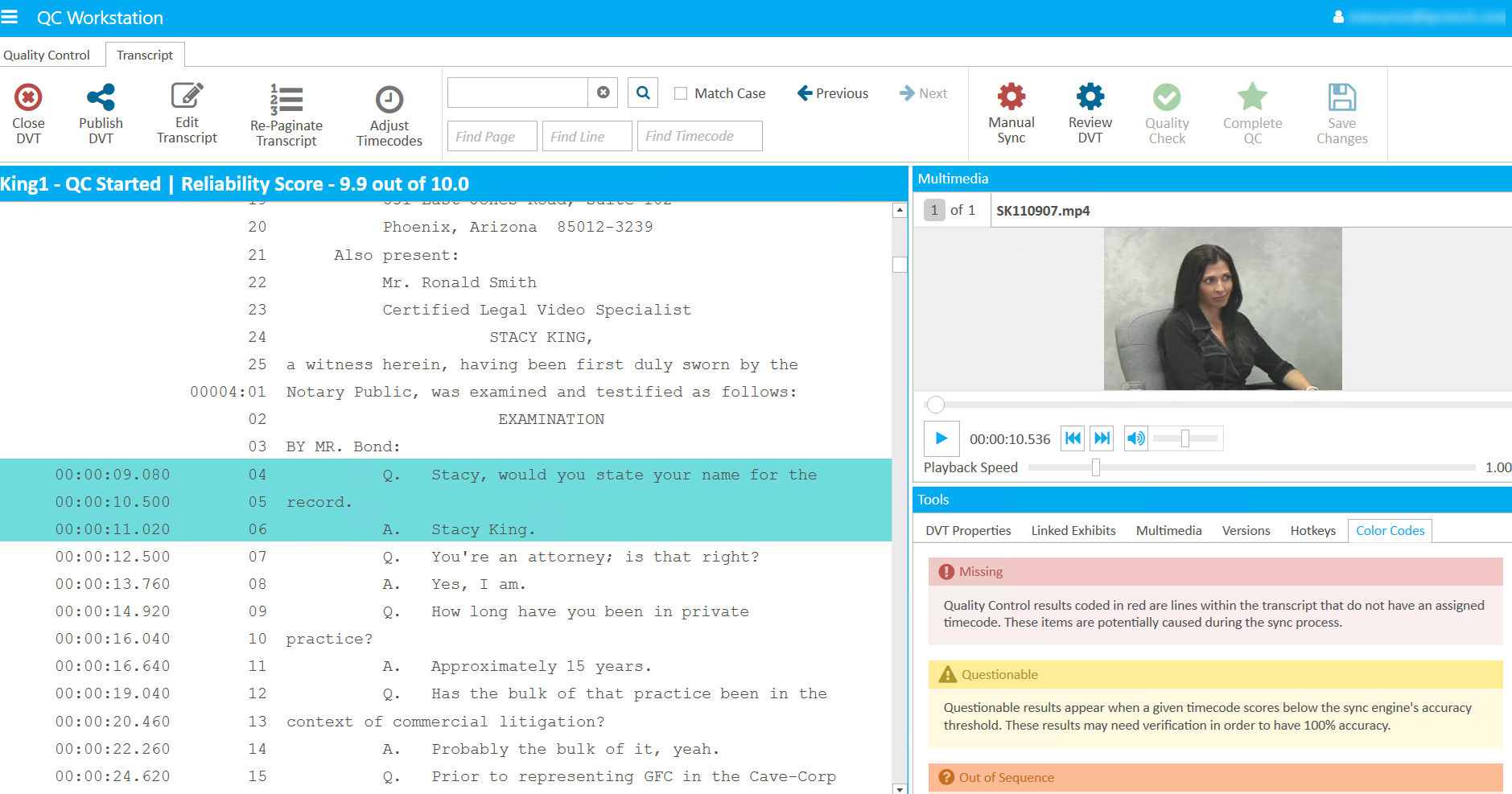
Use the articles below to learn more about various tasks you can complete in the Transcript tab:
Review a Digital Video Transcript
Version: 2022.2.0
Last Revision: 1/18/2023