Use Sync Hotkeys
Use the following hotkeys to efficiently navigate the transcript and use the media player controls right from the keyboard. You can find a list of these hotkeys in the Tools pane on both the Transcript tab and the Quality Control tab of the QC Workstation.
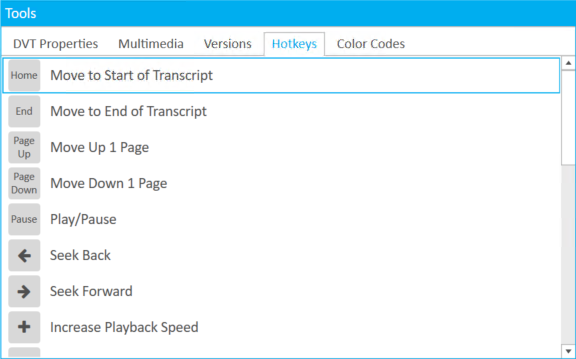
Transcript Hotkeys
The following hotkeys can be used while working on the Transcript tab of the QC Workstation:
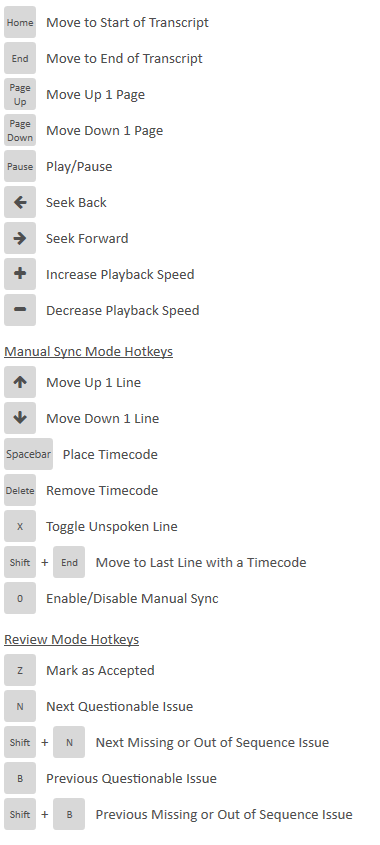
Quality Control Hotkeys
The following hotkeys can be used while working on the Quality Control tab of the QC Workstation:


|
Note: You can easily change hotkey assignments via the Sync User Preferences. See Change Sync User Preferences for more information on how to edit hotkeys. |
Related Topics
Version: 2022.2.0
Last Revision: 1/18/2023