Configuring a Connection to Exchange
To include data from Exchange Online or Microsoft Exchange, configure the connector and create a Storage Location in the IPRO Administration Console. Next, ensure all users are mapped by performing User Mapping. Complete the configuration process by creating Archiving jobs to archive the source data. Archived Exchange content can then be viewed and exported from IPRO Search.
In the steps outlined below, a Storage Location is created for Exchange, for archiving purposes only. If you intend to search the archived mailbox data, create a Live Location and configure an Index job. For more information—see Configuring Locations.
To configure a connection to Exchange, follow the steps outlined below.
-
You must have an Exchange Service Account. Grant the required access rights, create a custom role with only the required permissions. Next, add the Exchange Service Account—see How to add the Exchange Service Account.
-
For Exchange Online, you must integrate IPRO with Office 365. First, register the EWS application with the Microsoft Identity Platform and grant the permissions required—see How to register the EWS application for Exchange Online. Next, add the Office 365 Tenant ID in the IPRO Administration Console—see How to add the Office 365 Tenant ID for Exchange Online.
-
Establish the connection to Exchange. Complete the required configurations in the IPRO Administration Console—see
-
Create the Archive location for Exchange. Configure a Storage Location in the IPRO Administration Console—see How to configure the Exchange Archive location.
 How to add the Exchange Service Account
An Exchange Service Account is required. Create an Exchange user with mailbox to act as the service account—see Creating an Exchange Service Account. For more information about IPRO's security management of Exchange Service Accounts—see FAQ Exchange Service Account.
The Exchange Service Account must be created prior to deployment.
To add the Exchange Service Account, see steps below.
- Log into the Exchange Administration Console (EAC). An Administrator account is required.
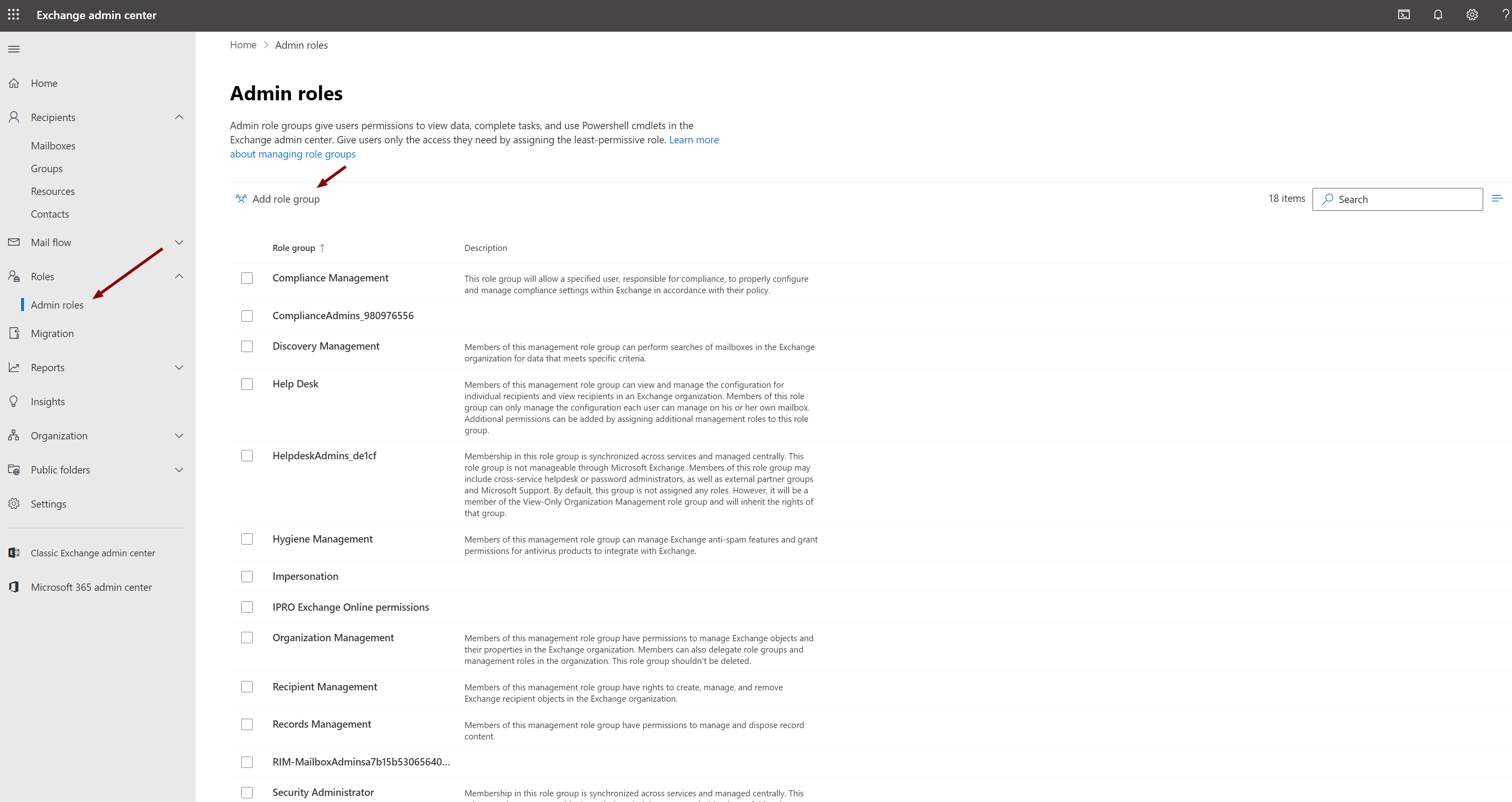
- From the left-hand panel, select Roles > Admin Roles.
- Click Add role group.
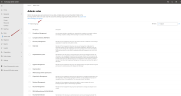
- In the Set up the basics section, do the following:
- Give the custom role an appropriate Name.
- Add a Description specifying what permissions the members of this role group will have. Include that this custom role group should not be deleted.
- Leave Write Scope at the Default setting.
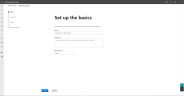
- Click Next.
- In the Add permissions section, individually select the following:
- Address Lists
- Distribution Groups
- Journaling
- Mailbox Import Export
- Mailbox Search
- View-Only Configuration
- View-Only Recipients
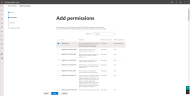
- Click Next.
- In the Assign admins section, select the Exchange Service Account previously created. Enter it in the Members field.
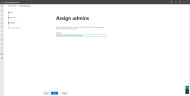
- Click Next.
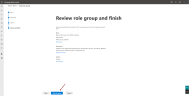
- In the Review role group and finish section, double-check all. When ready, click Add Role Group.


 How to register the EWS application for Exchange Online
- To register the EWS application, enter the following URL in a web browser:
https://login.microsoftonline.com/common/adminconsent?client_id=0a9b0b39-2512-48a4-83ff-c2ed8c1057ff&state=12345&redirect_uri=https://localhost:65010/crawler - You should already be logged in to Office 365 with you Global Administrator Account. If not, log in, follow prompts to use the correct credentials.
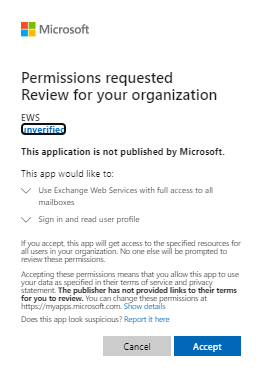
- Grant permissions to the application. Click Accept.

- You will be redirected to the following URL, which indicates successful registration:
https://localhost:65010/crawler?admin_consent=True&tenant=12cf9842-fb72-4b1d-9f89-6a69e478f803&state=12345
The page will not resolve and can be closed. - Once you have successfully registered the application, delete any existing objects in the MailStore tab, if applicable.
 How to add the Office 365 Tenant ID for Exchange Online
- Log into the IPRO Administration Console. Administrator rights are required.
- Select Archiving.
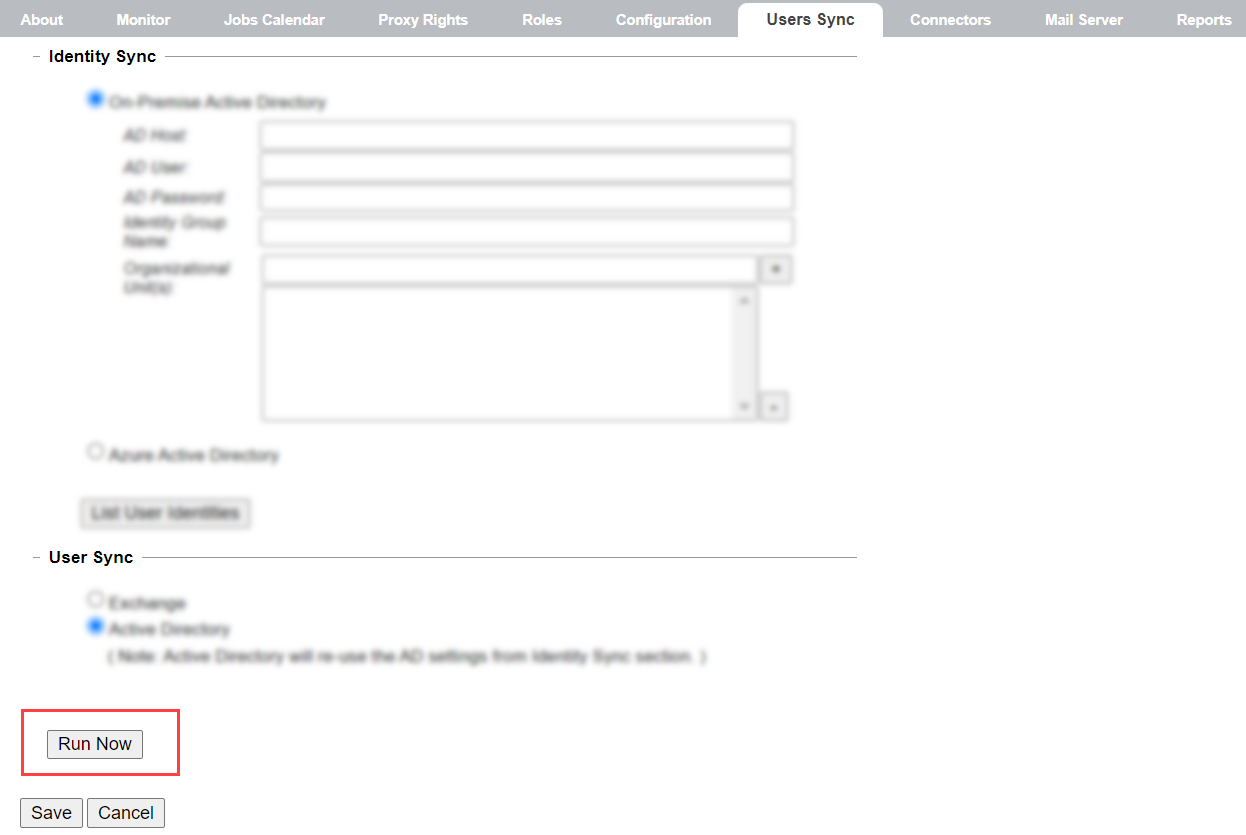
- Open the Users Sync tab.
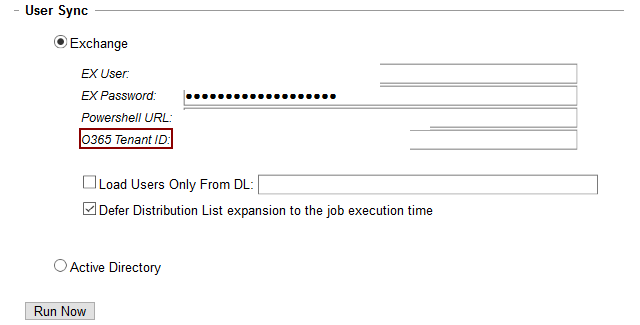
- Navigate to the Users Sync section, click Exchange.
- If not filled in automatically, enter the Service Account username and password, and Powershell URL.
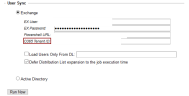
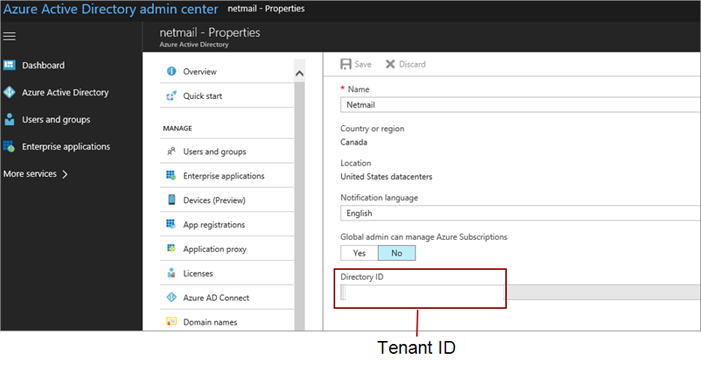
- Add the Office 365 Tenant ID. AzureUSGovernment O365 tenants are supported.
-
NOTE
The O365 Tenant ID is located in the Directory ID box.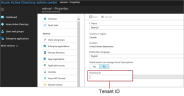
- To complete the process, re-sync the address books. Click Save at the bottom-left of the tab. In the User Sync section, click Run Now.
- Once user mailboxes have been synchronized to the local cache, they can be selected for archiving jobs. Syncing the address books is a requirement for setting up archiving jobs—see Syncing Address Books.
 How to configure Exchange Online or Microsoft Exchange
- Open the Mail Server tab.

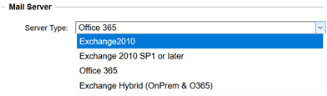
- From the Server Type dropdown list, select the relevant version of Exchange.
- If the correct parameters were not previously entered in the Users Sync tab, then you will receive an error message. To learn more—see User Syncing.
- When you select the Server Type, you will be prompted to re-sync the address books to finalize the Users and Groups synchronization. Click OK.
- Click Save at the bottom-left of the tab.

 How to configure Exchange Hybrid
Perform the following steps if you are configuring a connection to Exchange Hybrid.
Skip this section if you are configuring a connection to Exchange Online or Microsoft Exchange.
-
Log into the IPRO Administration Console.
-
Select Archiving. Open the Mail Server tab.
-
In the Mail Server section, select Exchange 2010 or Exchange 2010 SP1 or later from the Server Type drop-down menu.

-
Click Save at the bottom-left of the tab.
-
Open the Users Sync tab.
-
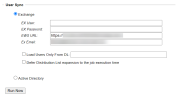
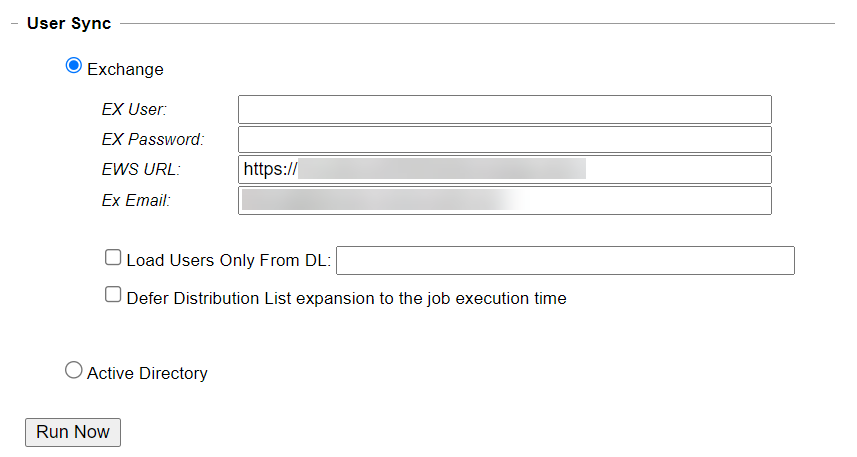
In the User Sync section, select Exchange. Enter the Exchange User ID, Password, URL, and email address.
-
Click Save at the bottom-left of the tab.
-
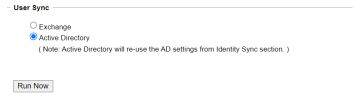
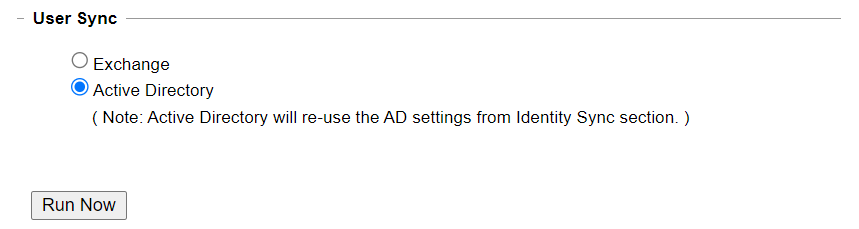
In the User Sync section, select Active Directory.
The AD-details previously entered in the Identity Sync section, will be re-used. To learn more—see User Syncing.
-
Click Save at the bottom-left of the tab.
-
Click Run Now to re-sync.
-
Return to the Mail Server tab.
-
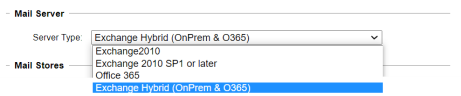
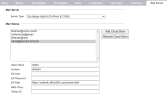
In the Mail Server section, select Exchange Hybrid (OnPrem & O365) from the Server Type drop-down menu.
-
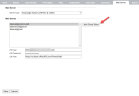
When using a hybrid system, cloud store must be added. Click Add Cloud Store to add the Cloud Mailserver.
-
Enter the required information in the corresponding fields.
-
Click Save at the bottom-left of the tab.
-
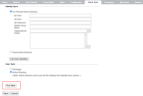
Return to the Users Sync tab.
-
Click Run Now at the bottom-left of the tab.



 How to configure the Exchange Archive location
Complete the prerequisites for configuring the Exchange connector in IPRO. You can contact your Support Representative for further details on the connector features, system requirements, and pre-configuration process.
To configure the Exchange Archive location in IPRO, see steps below.
- Log into the IPRO Administration Console. Administrator rights are required.
- Select Archiving.
- Open the Connectors tab.
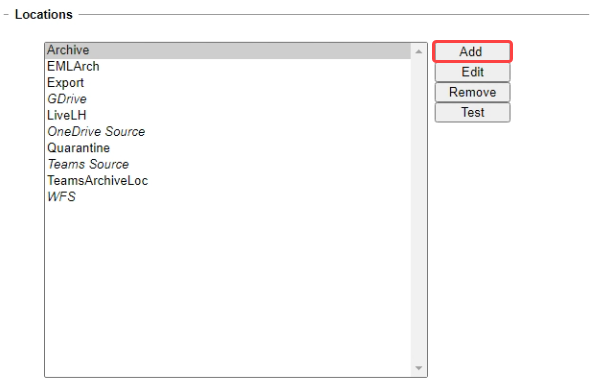
- Navigate to the Locations section. Click Add.
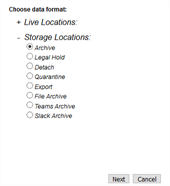
- Under Storage Locations, select Archive.

- Click Next.
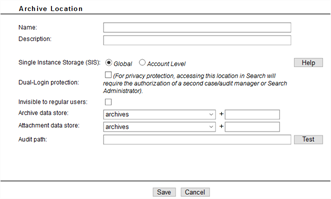
- The Archive Location configuration window displays.
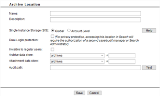
- In the Name field, enter a name that is meaningful to the users and reviewers who will be accessing the data. Include the term "Connector" in the name entered.
- In the Description field, enter a relevant description of the storage location.
- Single Instance Storage (SIS) checks each attachment saved to the system and ensures that only one identical copy is saved within the repository. Files will be saved to a content folder appended to the defined data path. In the Single Instance Storage (SIS) field, select one of the following:
- Global: Enables SIS across all users archived to this location. If multiple users receive one or multiple copies of an identical attachment, only one copy is stored.
- Account Level: Enables SIS on an individual user level.
- (Optional) Enable Dual-Login Protection to ensure that access to the local storage location in IPRO Search will require the authorization of a second
- (Optional) Enable Invisible to Regular Users if you would like to hide the location from end users in IPRO Search.
- The storage device options provided in the Archive Data Store and Attachment Data Store fields serve both performance and security purposes. For example, in some cases you may want to store larger and less frequently accessed attachments on slower, cheaper storage.
- In Archive Data Store, select the storage device where the archive data will be stored—see Configuring Storage Devices.
- In Attachment Data Store, select the storage device where you would like to store the data.
- Optional: Specify a subfolder in the localstore device. In the associated + (plus) field, enter the subdirectory path to the selected storage device to which you want the archive data to be written.
- Example: Your storage device has a UNC path of \\localstore\data. If you set the archive data store to localstore and a path of attachments, archive data will be written here:
- \\server1\data\attachments
- In the Audit Path field, enter the UNC path to the location where you want to store the audit files for the data archived to this storage location. You can designate a location for the audit files that is different from where archived data will be stored.
-
NOTE
Since audit files are accessed and updated more frequently than other types of files, they should be stored on faster media. Storing the audit files in a different location also allows the possibility of applying different access rights, although all IPRO Search access is done through the IPRO Search services account. -
WARNING
In order for IPRO Search to function properly, it is important that you do not lose your audit files. This applies to all versions of IPRO Search. It is recommended that you establish a procedure for backing up your audit files, so if you accidentally delete them, they can be restored. For more information on backing up, see Backing Up Archived Files. - Click Test to verify the Audit Path connection.
- Click Save.
- Click Save at the bottom-left of the Connectors tab.
-
IMPORTANT
When you have created the location and configured the connector, you must ensure that all users are mapped. For more information—see User Mapping. For detailed steps—see Configuring User Mapping. -
IMPORTANT
Once configuration is complete, an archiving job must be created in order to process the mailbox content—see Configuring an Email Archiving Job.

Choose a location name that is meaningful to the users and reviewers who will be accessing the archive data. The name is also used by the indexing service. To change the location name, a new location must be created and its data reindexed.