Configuring Locations
As the IPRO Administrator, you configure connections to external data sources. You can connect to multiple and various external locations, including OneDrive, MS Teams, and Slack. To process the data in an external location, you must configure the relevant connector and create the appropriate location in the IPRO Administration Console.
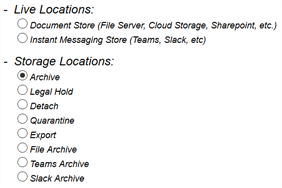
In the IPRO Administration Console, you can create a Storage Location or a Live Location. The location you choose, depends on the data your users need to access.
-
A Storage Location is an archive data repository, built on a specified storage device—see Configuring Storage Locations. A standard Storage Location must be created in order to set up and run archiving jobs.
-
A Live Location is an external Document Store or Instant Messaging Store, depending on the data source you are connecting to—see Configuring Connectors. Live Locations grant access to external locations on cloud-based environments. A Live Location must be created in order to set up and run indexing and archiving jobs. Indexing jobs are required to make data available and searchable.
-
If you only want to archive data in an external location and do not intend to search it, create an archive data repository. Configure a Storage Location.
-
If you intend to archive and search data in an external location, create a location for archiving and indexing. Configure a Live Location.
Once configured, you must ensure that User Mapping is performed. For more information—see User Mapping. For detailed steps—see Configuring User Mapping.