Revert Transcript Version
You made changes to a transcript you are working on, but realized you made a mistake. Now you need to revert those changes back to the way the transcript looked before your most recent changes.
Sync Plus allows you to revert any changes made to a transcript.
With the Transcript tab open in the QC Workstation, follow the steps below:
-
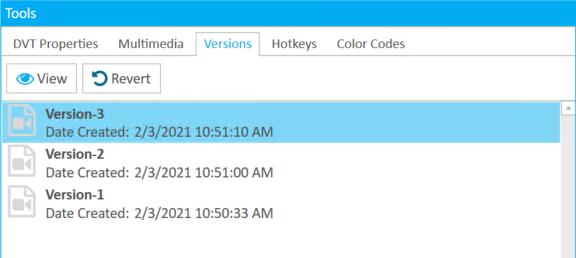
Select a transcript version from the Versions tab in the Tools panel.
-
Click the Revert button.

A confirmation appears. Click Yes.
Related Topics
Version: 2022.2.0
Last Revision: 1/18/2023