Open Transcript Version
Whenever a change is made to a transcript, Sync Plus saves the previous version of the transcript before the changes were applied. You can open these versions at any time while saving the progress you have already made.
With the Transcript tab open in the QC Workstation, follow the steps below:
-
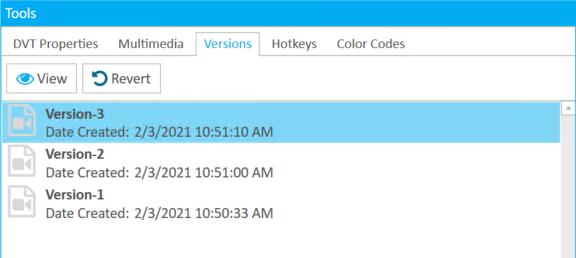
Select a transcript version from the Versions tab in the Tools panel.
-
Click the View button.

-
A new window appears displaying the transcript version.
When you are finished, click Close.
Related Topics
Version: 2022.2.0
Last Revision: 1/18/2023