Cancel Quality Control Changes
There may be situations where you must get rid of the changes you made in QC. As long as you have not saved, you can get rid of all the changes at once, or undo changes to individual lines.
With a DVT open in the Quality Control tab, follow the steps below to cancel your changes:
-
To cancel all changes, click the Cancel Changes button in the ribbon bar. Sync removes all the changes made during the session.

-
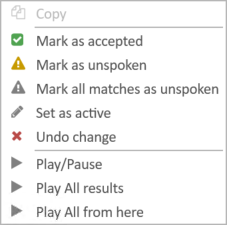
To cancel individual line changes, right-click on the line you altered and select Undo changes. This action only removes single changes instead of all changes in the session.

Related Topics
Version: 2022.2.0
Last Revision: 1/18/2023