Search Job History
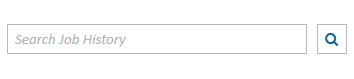
You want to find a specific job in Job History. To search Job History, use the following steps:
- Enter a query in the Search Job History field.
-
Press Enter on the Keyboard.
The Job Summary table immediately filters to show any job containing the search term you entered.
If you can't find what you want you can click the small "x" that now appears in the Search Job History field to clear your search and try again.

Note: After executing a search, the Number of Jobs indicator changes to show the number of results out of the total number of jobs.
Related Topics
Version: 2022.2.0
Last Revision: 1/18/2023