Export Job History
You can export your job history in Sync Plus for reporting purposes.
Navigate to the Job History tab and follow the steps below:
- Click Export Job History.
-
The export dialog appears. Choose your export options.
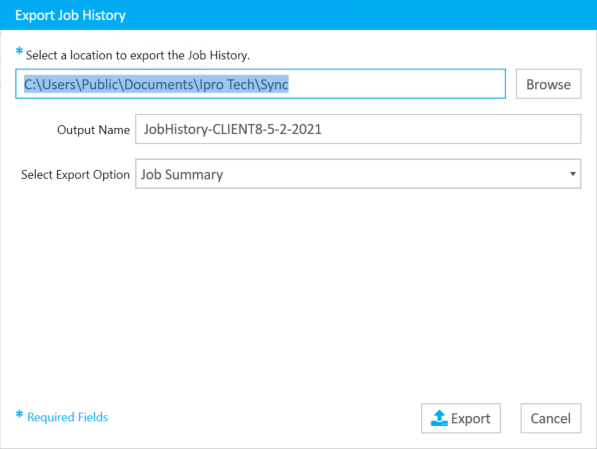
Enter a file path for the job history file that will be created, enter an Output Name, and select an Export Option.
Export options include:
- Job Summary - Exports the same table found in the Job Summary panel in the Job History tab.
- Job Details - Shows many more details for each job. For example, times are marked whenever the transcript was opened or closed.
-
Click Export. Your job history exports to the location you chose.

Note: If a Job History Search is active, only the jobs included in the search will appear on the report.
Related Topics
Version: 2022.2.0
Last Revision: 1/18/2023