Configuring the Google Drive Connector
To include data from Google Drive, configure the connector and create a live location in theIPRO Administration Console. Next, ensure all users are mapped by performing User Mapping. Complete the configuration process by creating Indexing and Archiving jobs to crawl and archive the source data.
Indexing is required to make data searchable. If you intend to search archived data, indexing must be performed. You can set up and run a File Indexing job prior to archiving, or configure a File Archiving job allowing for simultaneous indexing—see Configuring File Indexing and Configuring File Archiving.
When setup is complete, indexed and archived Google Drive content can be viewed, searched, and exported from IPRO Search.
Google Forms and other service generated files are not supported in the current version of the Google Drive connector.
In order to configure the Google Drive Connector, you must first follow the steps needed to configure the Gmail Connector. For instructions on completing this setup, see Configuring Gmail Connector.
 Enable API access for the Google Drive API
Perform the following steps in the Google Cloud Platform Console.
-
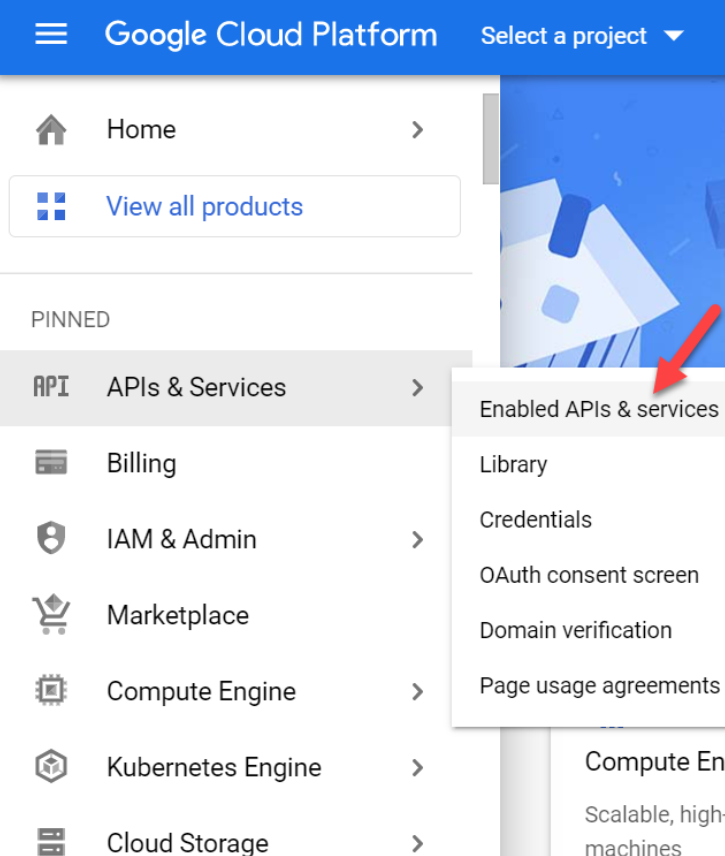
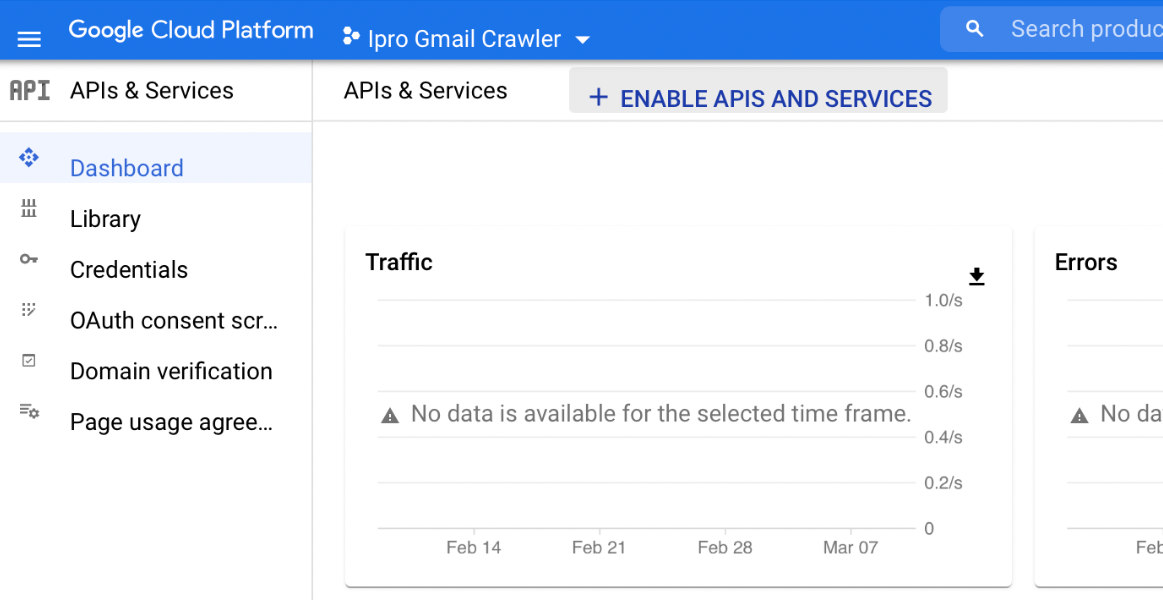
From the Google Cloud Platform home page, navigate to APIs and Services > Enabled APIs & services.

-
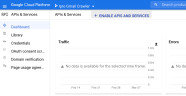
From the Enabled API & services dashboard, click Enable APIs and Services.
-
Add and enable the Google Drive APIs.

 Delegate domain-wide authority to the Service Account
To delegate authority to use the existing Service Account which was created when Gmail was authorized.
-
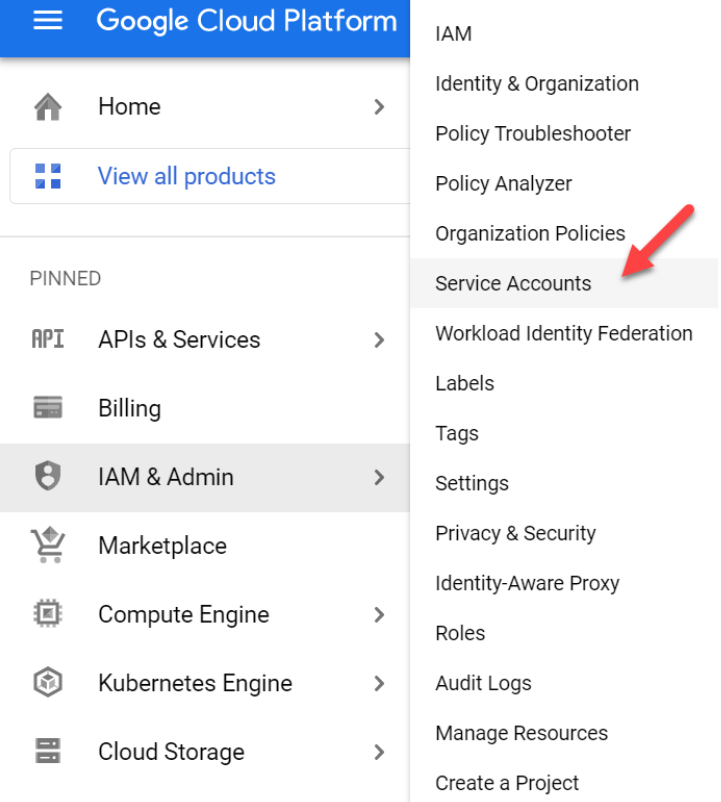
To grant Google Drive authority to the Service Account, navigate to the Service Accounts section. From the Google Cloud Platform home page, go to IAM & Admin > Service Accounts.

-
Select the previously created Service Account email address from the email addresses listed.
-
Take note of the value populated in the Unique ID box of the account used for Gmail.
-
The Unique ID value is used as the Client ID required to delegate authority to the Service Account.
-
From the G Suite Domain Admin Console, navigate to Main menu > Security > API Controls.
-
In the Domain-wide Delegation pane, select Manage Domain Wide Delegation.
-
Find your Service Account by the Client ID
-
Click Edit.
-
In the OAuth scopes (comma-delimited) field, add the following list of scopes:
-
https://www.googleapis.com/auth/drive,
-
https://www.googleapis.com/auth/drive.appdata,
-
https://www.googleapis.com/auth/drive.file,
-
https://www.googleapis.com/auth/drive.metadata,
-
https://www.googleapis.com/auth/drive.metadata.readonly,
-
https://www.googleapis.com/auth/drive.photos.readonly,
-
https://www.googleapis.com/auth/drive.readonly,
-
https://www.googleapis.com/auth/drive.scripts,
-
-
Click Authorize.
 How to Configure the Google Drive Connector
-
Log into the IPRO Administration Console.
-
Select Archiving.
-
Open the Connectors tab.
-
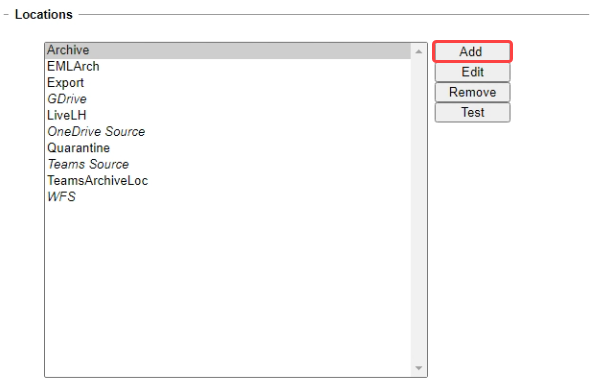
Navigate to the Locations section. Click Add.
-
Click on Live Locations to expand, select Document Store.
-
Click Next.
-
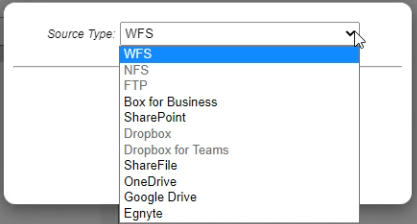
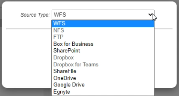
Select Google Drive as the Source Type. Click Next.
-
Click Next.
-
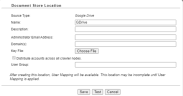
The Document Store Location window displays.
-
In the Name field, enter a name that is meaningful to the users and reviewers who will be accessing the data. Include the term "Connector" in the name entered.
IMPORTANT
To change a location name, a new location must be created and its data must be reindexed. -
In the Description field, enter a relevant description.
-
In the Administrator Email Address field, enter the administrator email address.
-
In the Domain(s) field, enter the domain(s).
-
Add the relevant Key File.
-
(Optional) Enable Distribute accounts across all crawler nodes. This is checked by default for a better balancing of the indexing workload.
-
(Optional) Enter the User Group. The User Group setting allows you to carve out a subset of account members from the configured AD group. Only their Gmail content will be indexed and made available.
-
Click Save.
-
Click Save at the bottom-left of the Connectors tab.
IMPORTANT
Following connector and location configuration, perform User Mapping. For more information—see User Mapping. For detailed steps—see Configuring User Mapping.IMPORTANT
Next, configure File Indexing and File Archiving jobs to process the source data—see Configuring File Indexing and Configuring File Archiving.