Remove Vendor Templates
You can remove a vendor template at any time in the Vendor Templates work area.
To remove a vendor template:

|
Note: Only administrators have access to the Vendor Template work area. |
-
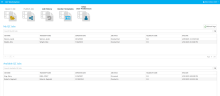
Open Sync Plus. The QC Workstation start page displays.
-
Click the Vendor Templates button at the top of the start page.

-
The Vendor Templates work area opens. Click the Remove Template button in the ribbon bar at the top of the work area.
-
A message appears asking if you would like to proceed to remove the template. Click Yes to permanently delete the template.

Related Topics
Version: 2022.2.0
Last Revision: 1/18/2023