OPEN DISCOVERY Live EDA Case
In OPEN DISCOVERY, you can create a Live EDA (Early Data Assessment) case to search, review, tag, and promote live content across multiple and various data locations. This is made possible through configuration with the IPRO Admin UI, connecting to and indexing external data sources. This data then becomes available in an IPRO OPEN DISCOVERY Live EDA case.
OPEN DISCOVERY Live EDA cases are created in OPEN DISCOVERY, not IPRO Search. OPEN DISCOVERY Live EDA cases are not IPRO Search LIVE EDA cases.
In the OPEN DISCOVERY Live EDA case, live data can be searched in-place, from the OPEN DISCOVERY interface. When performing a search in an OPEN DISCOVERY Live EDA case, the accurate and advanced search tools, review options, and tagging capabilities of IPRO Search are leveraged. By performing precise searches to single out specific information, a smaller data set with only relevant search results can then be promoted to the interconnected OPEN DISCOVERY Review case.
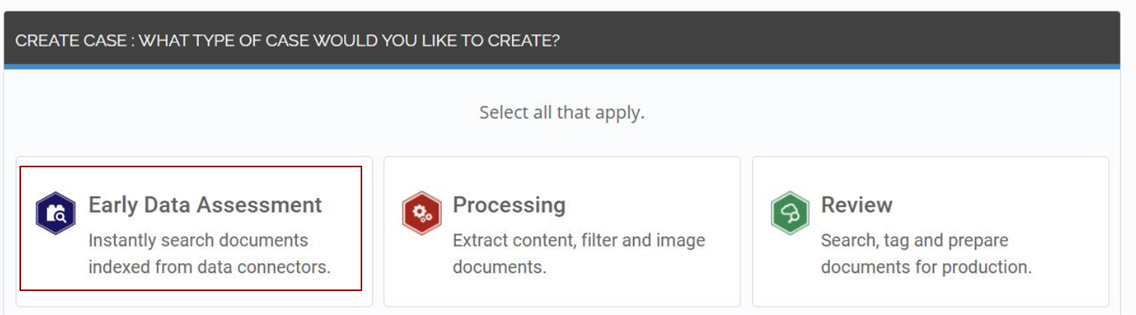
To create a Live EDA case in OPEN DISCOVERY, you must configure OPEN DISCOVERY in the IPRO Admin UI—see Configure Live EDA. To make live content available in the OPEN DISCOVERY Live EDA case, the relevant connectors and required indexing and archiving jobs must be configured in the IPRO Admin UI—see Configuring Connectors. You must also ensure that User Mapping is performed—see User Mapping. Once all configuration steps have been completed, live data locations and custodians can be included in the OPEN DISCOVERY Live EDA case.
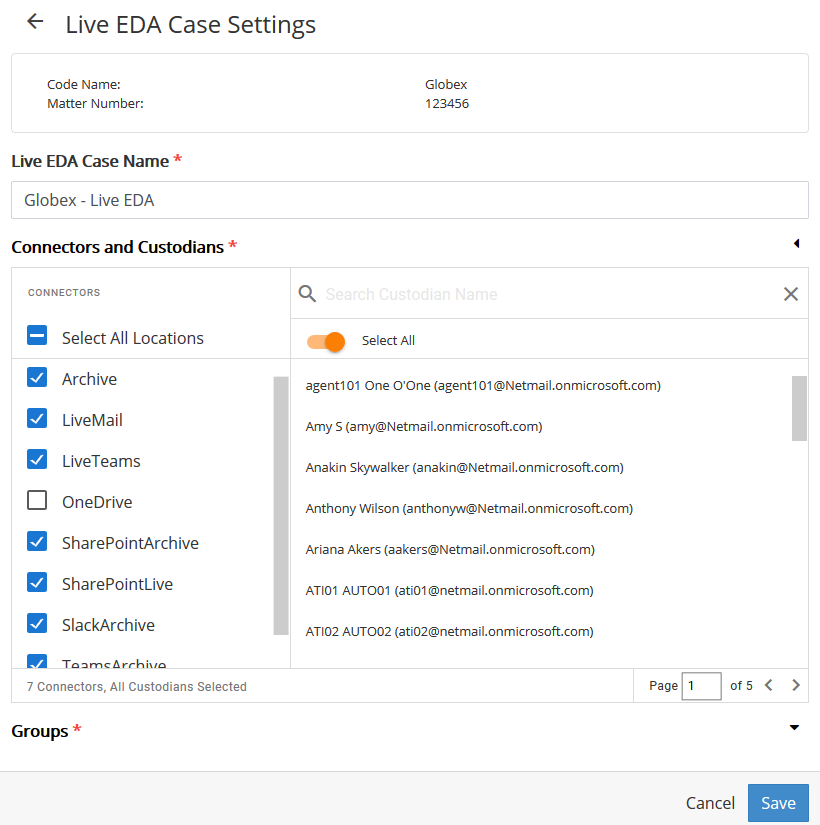
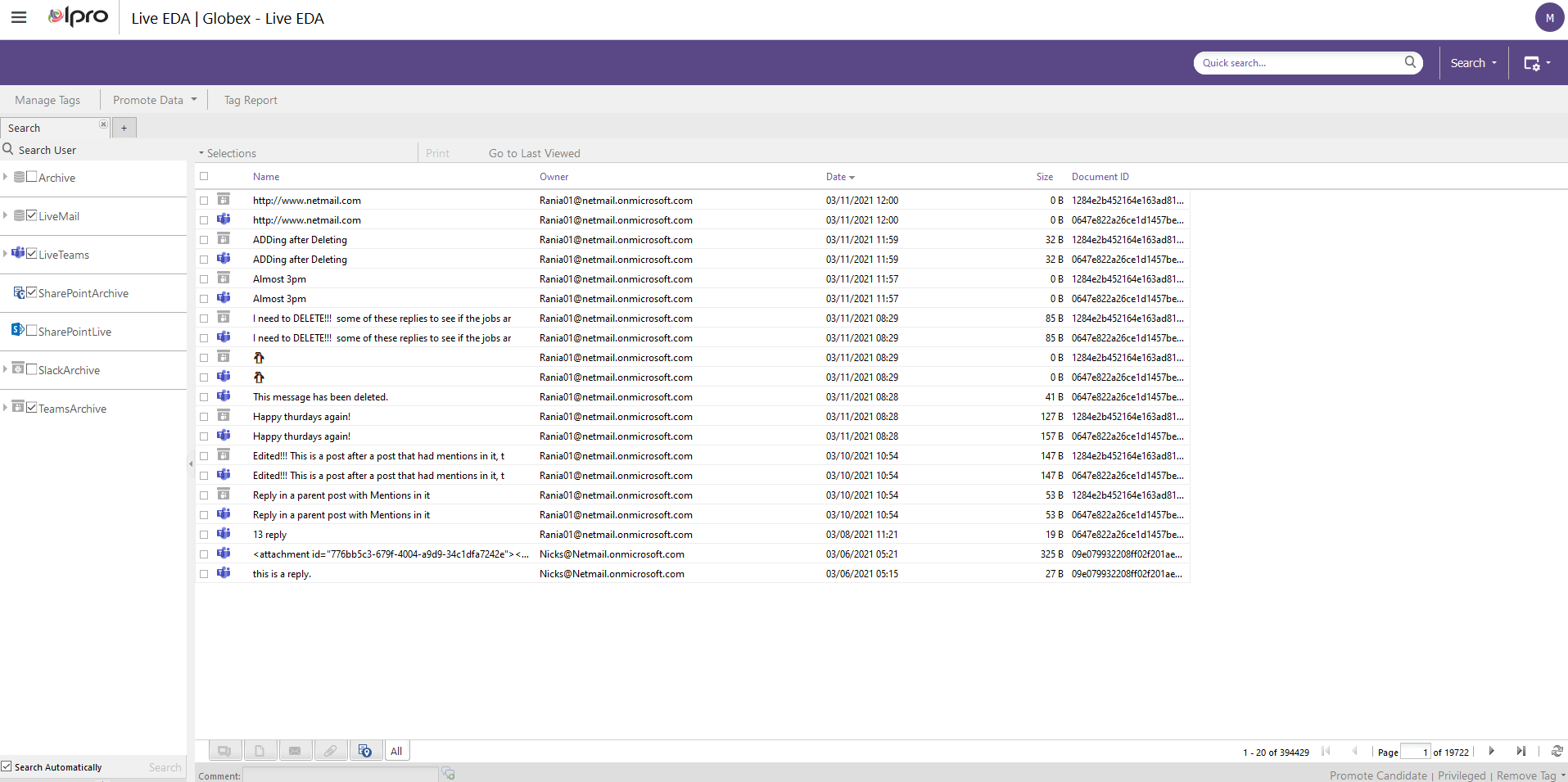
When a Live EDA case is created in OPEN DISCOVERY, a corresponding LIVE EDA case is created in IPRO Search. Case status is synchronized; deleting the Live EDA case in OPEN DISCOVERY will delete the LIVE EDA case in IPRO Search.
To learn more about OPEN DISCOVERY Live EDA cases—see Overview: Live EDA.