Comparing Related Documents
Your IPRO Eclipse administrator may configure duplicates, near-duplicates, or similar relationships to allow you to compare documents using a simple comparison tool. Documents can be compared if extracted text exists for them.
If your administrator has configured the comparison feature for a particular relationship, complete the following steps to compare related documents:
-
Log in to IPRO Eclipse and open the needed case or batch.
-
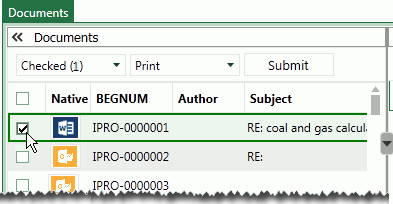
In the Documents, Batch, Search Results, or Analytics tab, select (click the option box for) the record corresponding to the document to be compared:
-
If documents are not visible in the Document Details pane, click the View button in the pane or the document synchronization button,
 ,
in the Documents tab navigation toolbar.
,
in the Documents tab navigation toolbar. -
Open the Relationships pane, then select the needed relationship, such as Near Duplicates.
-
In the Relationships pane, click
 next to the document to
be compared to the one selected in step 2. The Document Compare dialog
box opens. By default, deletions, additions, and matching content will
be included.
next to the document to
be compared to the one selected in step 2. The Document Compare dialog
box opens. By default, deletions, additions, and matching content will
be included. -
If desired, hide content you do not want to view:
-
Clear the Removed, Added, and/or Unchanged options as needed.
-
Click Update.
-
-
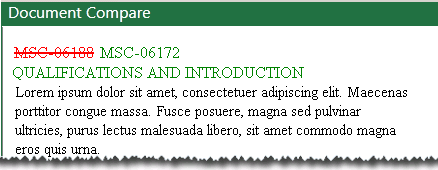
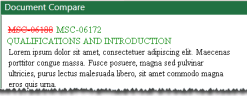
Review document differences (if any). The following figure shows an example.
-
When finished, close the Document Compare dialog box.